
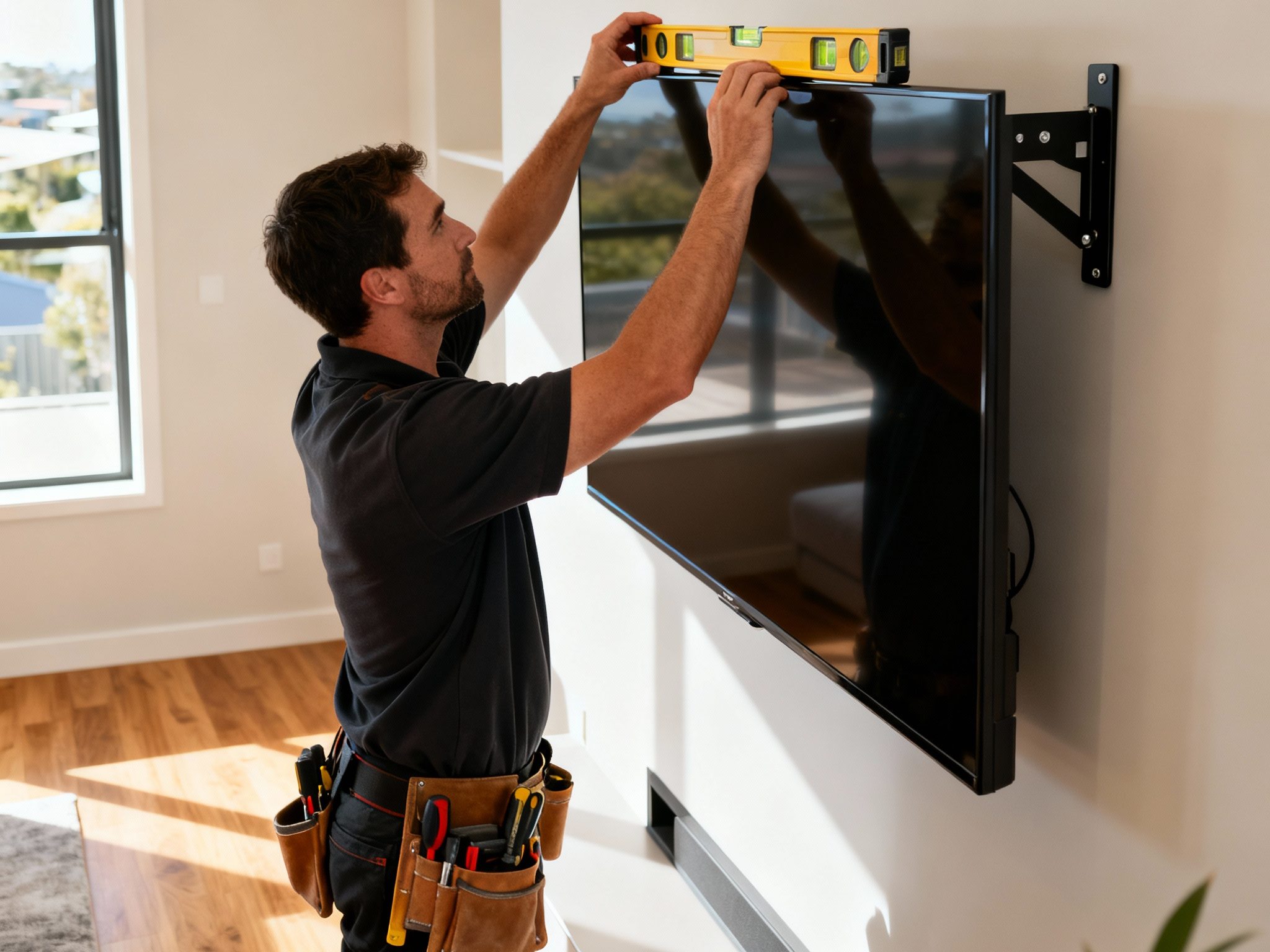
Scheduling a professional TV wall mount installation can feel uncertain if you’ve never done it before. Many homeowners worry about disruption, wall damage, or unexpected complications. Understanding the actual process—from the moment the installer arrives through to final handover—reduces anxiety and helps you prepare properly. This guide walks you through what to expect during tv wall mounting installation, explaining each phase, typical timelines, and how to ensure a smooth, safe installation in your Adelaide home.
Golden Antenna’s experienced team follows a proven process refined across hundreds of Adelaide installations, prioritizing safety, precision, and customer confidence at every step.
Key Takeaways
- Professional installers follow a structured, repeatable process: assess, mark, drill, mount, cable, and test.
- Most straightforward TV installations take 45–90 minutes total, depending on wall type and bracket complexity.
- Pre-visit preparation—clearing the area, confirming TV specs, and identifying power points—smooths the entire process.
- Experienced installers verify wall structure and mounting location thoroughly before drilling any holes.
- Cable management and final safety checks are integrated into professional service, not added afterthoughts.
Overview
Professional TV mounting follows a logical sequence designed to minimize errors, protect your TV and walls, and deliver a secure, lasting installation. The process begins with assessment—understanding your room layout, wall construction, and viewing preferences—before any tools come out. From there, marking and precise drilling ensure that the wall plate is level and anchored into solid structure (studs or masonry). Once the bracket is secure, the TV’s VESA rails are attached and the TV is carefully hung and locked. Cable management and final testing wrap up the job, leaving you with a functional, tidy installation ready to enjoy.
Most Adelaide homeowners are surprised how quickly it happens when professionals manage the details. What might take a DIYer an entire weekend typically completes in under two hours with a trained team. Here’s what to expect during tv wall mounting installation, phase by phase.
Pre-Visit Preparation and Planning
Before the installer arrives, a few simple steps accelerate the process. Clear the area around the intended mount location—remove furniture, decorations, or obstacles that might impede access. Have your TV model information handy (size, weight, VESA pattern if you know it). Identify nearby power outlets and decide whether you’ll need cables routed along the wall or hidden. If your wall type is known—brick, plasterboard, or paneled—mentioning this upfront helps the installer bring appropriate hardware.
Pre-appointment preparation tasks include:
- Clear at least a 1–2 meter radius around the mounting area
- Document TV model, size (inches), and weight (kg)
- Note power outlet and signal line locations
- Identify any wall constraints (windows, outlets, artwork)
- Prepare access to the area for a ladder and work tools
These simple steps save 15–30 minutes of on-site planning and allow the installer to start productive work immediately. Many professionals appreciate homeowners who have thought through their viewing height preference and cable management approach ahead of time, because it demonstrates readiness and reduces decision-making delays.
On-Site Assessment and Mounting Location Confirmation
The installer’s first task is visual assessment of your space. This includes examining the wall, confirming wall type (brick, concrete, plasterboard, or paneling), using a stud finder or detection tools to locate structural anchor points, and discussing your viewing preferences. You’ll walk through the room, discuss seating positions, glare from windows, and ideal height and angle for comfortable viewing.
Key confirmation steps in this phase include:
- Stud or masonry detection to identify solid anchor points
- Eye-level confirmation from your primary viewing position
- VESA pattern and TV weight verification against bracket specs
- Viewing angle testing (often done by holding a mock frame at proposed height)
- Cable routing options discussion (wall-hidden vs surface conduit vs behind furniture)
- Any obstructions or structural concerns identified
This phase typically takes 10–20 minutes and involves zero wall damage. It’s also your chance to ask questions or suggest adjustments. Professional installers encourage this dialogue because a well-planned location prevents regret and the need for reinstallation later.
Marking and Drilling Process
Once the mounting location is confirmed and the installer has verified stud or masonry positions, the wall plate position is marked with a level. Small pilot holes are drilled at marked points to verify stud or masonry location before the final fixings are installed. On stud walls, holes are drilled through plasterboard and into timber framing at the marked stud locations. On masonry, pilot holes confirm solid material and guide anchor placement.
The drilling and fixing sequence includes:
- Level verification of all marks before drilling
- Pilot holes drilled at stud or masonry anchor points
- Anchors installed (toggle bolts, expansion anchors, or lag screws per substrate)
- Wall plate positioned and fasteners torqued to specification
- Final level check with fasteners tightened
- Fastener verification (no wobble or looseness)
Drilling and plate installation typically takes 15–30 minutes depending on wall type and condition. On older or challenging walls (brick, heritage, or paneled), this phase may take longer. Throughout this phase, the installer is focused on precision: uneven, loose, or poorly-torqued fixings compromise safety and longevity, so professionals don’t rush.
VESA Mount Hardware and TV Rail Attachment
While the wall plate is being secured, the TV mounting rails are attached to the back of your TV using the correct fasteners and VESA pattern
spacing. VESA (Video Electronics Standards Association) defines standard mounting hole patterns on TV backs. The installer confirms your TV’s VESA (e.g., 200×200mm, 400×400mm) and uses matching rails and screws of the correct length to avoid damaging the TV’s internal components.
Key steps in VESA rail attachment include:
- VESA pattern identification on TV back
- Correct rail and spacer selection for your TV model
- Screw length verification (too long = internal damage risk)
- Rails attached symmetrically to ensure level hang
- Torque check to confirm rails are secure
- Rails tested for tightness and proper alignment
This work happens on your TV, so installers are extremely careful: they use precision screwdrivers, follow manufacturer specs exactly, and avoid cross-threading or over-tightening. This phase takes 10–15 minutes and is critical for safe, level mounting.
Hanging, Locking and Initial Adjustment
With the wall plate secure and VESA rails attached to the TV, the TV is carefully lifted (usually by two people for safety) onto the wall plate. The mount’s locking mechanism—usually friction latches or safety screws—is engaged to lock the TV securely in place. Once locked, tilt and swivel adjustments (if your bracket type supports them) are tested and set to your preference.
Hanging and lock sequence includes:
- Two-person lift of TV onto wall plate
- Locking mechanism engaged (latches, screws, or friction locks)
- Visual and tactile stability check (gentle load test for wobble)
- Tilt angle adjusted and locked if applicable
- Full-motion arms tested through range (if applicable)
- Safety certification that all locks are engaged
This phase typically takes 10–20 minutes and includes explicit safety checks. Professional installers never consider a TV “mounted” until all locks are engaged and stability is confirmed under gentle load. You’ll see them gently testing the TV or arm movement to ensure nothing shifts or flexes.
Cable Management and Device Hookup
With the TV secured, all cables are connected and managed. Power cable is routed to a nearby outlet, HDMI and other signal cables are connected to your TV and any external devices (set-top box, soundbar, gaming console), and all cables are secured with clips or conduit to avoid strain and maintain a tidy appearance.
Cable management steps include:
- Power cable routed with sufficient slack to avoid tension
- HDMI and signal cables connected to TV and devices
- Cables bundled and clipped to prevent stress or tangles
- For articulating mounts: extra slack looped behind bracket for extension range
- Surface conduit or cable covers applied if requested
- All connections verified for secure seating
This phase takes 10–20 minutes and directly affects the aesthetic and long-term reliability of your installation. Poorly managed cables can strain connections, degrade signal, or cause power issues over time. Professional installers take cable management seriously.
Picture Test and Settings Initialization
Once all connections are made, the TV is powered on to verify picture and sound output. The installer confirms input selection, tests connected devices (if applicable), and may walk through basic settings like brightness, picture mode, or smart TV account login if you request it.
Testing and initialization includes:
- TV power-on and picture quality confirmation
- HDMI input verification (correct device detected)
- Audio output testing (TV speakers or external sound)
- Remote control functionality check
- Basic settings overview (brightness, contrast, input labels)
- Smart TV app or streaming service login assistance (if requested)
This phase takes 10–15 minutes and provides reassurance that everything works as expected. It’s also your opportunity to confirm picture height, angle, and overall satisfaction before the installer departs.
Professional TV Mounting Installation: Timeline and Phases
| Installation Phase | Typical Duration | What Happens |
|---|---|---|
| Assessment & Planning | 10–20 min | Wall inspection, stud location, height confirmation, no drilling |
| Marking & Drilling | 15–30 min | Wall plate positioning, anchor installation, level verification |
| VESA Rail Attachment | 10–15 min | Rails fastened to TV back per VESA pattern and specs |
| Hanging & Locking | 10–20 min | TV lifted, locked in place, stability tested, angle adjusted |
| Cable Management | 10–20 min | Power, HDMI, and signal cables connected and secured |
| Testing & Handover | 10–15 min | Power-on test, picture verification, settings walk-through |
| Total (Standard Install) | 45–90 min | Complete, from arrival to departure ready to enjoy |
| Total (Complex Wall/Mount) | 90–120+ min | Heritage, tile, paneled, or full-motion setups may run longer |
Final Checks and Professional Handover
Before departing, the installer performs a final verification sequence to ensure safety and your satisfaction. All fasteners are rechecked for tightness (vibration during drilling can occasionally loosen them), the TV is confirmed level, all locks are engaged, and the installation is stable under gentle load. The installer also walks you through the bracket’s range of motion, any maintenance recommendations, and documents anchor locations in case you ever need to relocate the TV.
Final verification steps include:
- All fasteners rechecked and torqued to spec
- Level confirmation with a bubble level on the TV itself
- Stability verification (gentle load test for wobble or shift)
- Lock mechanism double-checked
- Anchor location documentation provided
- Brief tutorial on tilt/swivel use (if applicable)
- Warranty information and service contact details
- Photo documentation of final installation (for insurance or future reference)
This phase takes 5–10 minutes but is absolutely essential. It’s your assurance that the installation is sound, properly documented, and backed by professional accountability. You should feel confident that your TV is safely mounted and will remain so for years.
Common Questions About the Installation Process
Many homeowners ask “what to expect during tv wall mounting installation” because they have specific concerns. Understanding typical scenarios helps reduce worry. Most installations proceed smoothly; wall type and bracket choice are the primary variables affecting timeline and approach.
On standard plasterboard walls with studs at convenient spacing, installations are fastest and most straightforward. On solid brick or concrete, drilling takes slightly longer but anchoring is often more reliable. Tiled or paneled walls may require specialist tools and techniques, extending the timeline. Full-motion mounts demand more precision and testing than fixed mounts, so they typically take longer.
Communication is key: if your situation involves any complicating factors (heritage wall, challenging location, or complex bracket), mention this when booking. The installer will then prepare appropriate tools and schedule sufficient time, ensuring no rushing and a professional result.
How to Prepare for Installation Day
Clear access to the mounting area—move furniture, artwork, and obstacles away from the wall. Have your TV model information available. Ensure the area is reasonably clean (installers need to work around dust and mess, but a basic tidy-up is appreciated). Have Wi‑Fi credentials handy if smart TV setup is requested. If you have pets or young children, arrange for them to be elsewhere during the 1–2 hour installation to avoid distractions and safety complications.
Practical preparation tips include:
- Clear at least 1–2 meters of floor space in front of wall
- Move furniture away from the mounting area
- Remove wall decorations or artwork near the mount location
- Confirm power outlet accessibility
- Have TV remote and any manuals nearby
- Arrange childcare or pet care if helpful
- Be present during installation (to confirm height and answer questions)
- Plan to stay home for the full appointment window
Small preparations like these communicate respect for the installer’s time and create conditions for smooth, efficient work.

Safety Considerations Throughout Installation
Professional installers prioritize safety at every stage. The wall plate must engage studs or solid masonry—never rely on plasterboard or drywall anchors alone for heavy TVs. VESA rails must use correct screw length and type to avoid internal TV damage. All fasteners must be torqued to specification—too loose risks failure, too tight risks stripping or damage. Cable routing must avoid strain that could cause power or signal failure.
Safety checkpoints during what to expect during tv wall mounting installation include:
- Structural verification (studs or masonry confirmed before drilling)
- Fastener specification matching (correct size, type, and torque for substrate)
- VESA rail installation using correct screws and spacing
- Locking mechanism verification (all locks engaged before leaving)
- Stability testing under gentle load
- Cable strain and pinch-point prevention
- Final documentation and handover
When you choose professional installation, you gain expertise that prevents costly mistakes and ensures your TV and wall remain safe and secure.
Frequently Asked Questions (FAQs)
Q: What to expect during tv wall mounting installation—how long does it usually take?
A: Most straightforward installations take 45–90 minutes total. Complex walls or full-motion mounts may extend to 2 hours. The process includes assessment (10–20 min), drilling (15–30 min), hanging and testing (30–50 min), and final checks.
Q: Will there be lots of holes drilled in my wall?
A: No. Only the fastening points required for the wall plate are drilled, typically 2–4 holes depending on stud or masonry spacing. The plate covers these, so no visible holes remain once installation is complete.
Q: Can the installer hide all my cables?
A: Most cables can be routed discretely—either behind the TV or along the wall using surface conduit. In-wall cable runs may be possible depending on wall type and local regulations; discuss options during the appointment to understand what’s feasible.
Q: What if my wall has no studs where I want the TV?
A: The installer will suggest alternative locations where studs or masonry are available, or recommend a reinforcement backing plate or different bracket type to safely anchor without a conveniently located stud.
Q: What happens if something breaks or goes wrong during installation?
A: Professional installers carry insurance and use care and tested processes to prevent damage. In the unlikely event of an issue, it’s covered by their service. This is one reason professional installation provides peace of mind compared to DIY attempts.
Q: Do I need to be home during installation?
A: Yes, it’s recommended. You’ll confirm height and viewing angle preferences, discuss cable routing, and be present for the power-on test. Being home also allows you to ask questions and verify satisfaction before the installer leaves.
Q: What about post-installation support or warranty?
A: Professional installers provide documentation, warranty on their workmanship, and ongoing support. If issues arise (loose bracket, cable failure, etc.), you have a single point of contact for service or adjustment.
Conclusion
Knowing what to expect during tv wall mounting installation removes anxiety and helps you prepare for a smooth, professional experience. The process is logical and proven: assessment, marking and drilling, rail attachment, hanging and locking, cable management, and final testing. Most installations complete in under two hours, leaving you with a secure, level, cable-managed TV installation ready to enjoy immediately.
Professional installers bring expertise, precision tools, and documented processes that ensure safety and long-term reliability. Pre-visit preparation on your part—clearing the area, confirming TV specs, and thinking through viewing preferences—accelerates the process further. By understanding each phase and what professionals look for at each stage, you can engage confidently with the installation and feel assured that your TV is mounted securely and will remain so for years.
Golden Antenna’s Adelaide team follows this proven process on every installation, combining expertise with customer communication to deliver results that exceed expectations. Ready to schedule your TV wall mounting? Contact us at 0403 711 983 to discuss your space and book an installation tailored to your home.
