
The vision seems simple: a sleek television perfectly positioned on your wall, cables hidden, viewing angle optimized for maximum comfort. You’ve watched installation videos online, and the process appears straightforward—just drill some holes, attach a bracket, and hang your TV. But reality tells a different story.
Understanding how to wall mount a TV involves far more complexity than YouTube tutorials suggest. Hidden electrical wires, incorrect stud placement, incompatible mounting hardware, and improper weight distribution create dangerous situations that risk expensive equipment and personal safety.
Adelaide homeowners face additional challenges with diverse wall types ranging from heritage plasterwork to modern plasterboard construction. This guide reveals the seven critical steps professionals follow for flawless installations—and why attempting this yourself often leads to costly mistakes that professional expertise prevents from the start.
Key Takeaways
- Understanding how to wall mount a TV requires knowledge of wall types, VESA standards, weight calculations, and electrical safety that extends beyond basic DIY skills.
- The seven essential steps include planning placement, locating studs accurately, selecting compatible mounts, managing cables properly, drilling precisely, securing hardware correctly, and testing thoroughly.
- Common mistakes like missed studs, incorrect height positioning, inadequate weight support, and poor cable management compromise both safety and functionality.
- Adelaide’s varied housing construction presents specific challenges with brick veneer, solid brick, plasterboard, and heritage features requiring specialized approaches.
- Professional installation eliminates dangerous guesswork, protects your television investment, includes warranty coverage, and delivers optimized viewing experiences that DIY attempts rarely achieve.
Overview
Television wall mounting transforms living spaces by maximizing floor area and creating modern aesthetics. However, the technical requirements behind successful installations remain hidden from casual observers. Seven fundamental steps form the foundation of proper TV mounting, each demanding specific knowledge and precision.
Wall assessment determines structural capability, measurement accuracy affects viewing comfort, hardware selection impacts safety margins, and cable management influences final appearance. Adelaide residents face particular considerations with older construction methods, varying wall materials, and electrical code requirements.
While hardware stores sell mounting kits suggesting easy installation, the reality involves multiple decision points where inexperience creates problems. This comprehensive breakdown examines each installation step, reveals common pitfalls, and explains why professional expertise consistently delivers superior results compared to DIY attempts.
Step 1: Strategic Placement Planning
Optimal TV positioning balances ergonomics, room layout, and aesthetic preferences. The screen center should align with eye level when seated—typically 100-110 centimeters from the floor for standard seating. Many homeowners mount TVs too high, causing neck strain during extended viewing. Professional installers assess furniture arrangements, viewing distances, and lighting conditions before marking positions.
Window placement significantly affects TV positioning. Western-facing windows create afternoon glare that renders screens unwatchable. Northern light provides consistent illumination without direct sun exposure. Considering lighting patterns throughout the day prevents positioning regrets after installation completes. Electrical outlet locations also influence placement decisions—extending cables across walls undermines the clean aesthetic wall mounting creates.
Room acoustics matter for entertainment systems. Corner positions may amplify bass but create uneven sound distribution. Centered wall positions typically deliver balanced audio throughout rooms. Our mission at Golden Antenna is to support our clients in enhancing their homes and lives through reliable and expert antenna installation. We guide clients to achieve seamless connectivity and a stress-free viewing experience, aligning every installation with their needs and lifestyle.
Step 2: Accurate Stud Location and Wall Assessment
Finding studs represents the most critical technical challenge in TV mounting. Electronic stud finders provide inconsistent results, especially through thicker walls or near moisture. Adelaide’s older homes feature irregular stud spacing that doesn’t follow modern standards. Professionals use multiple detection methods—magnetic finders, density sensors, and pattern recognition based on construction era.
Wall composition dramatically affects mounting approach. Plasterboard requires mounting directly to timber studs for adequate support. Brick and concrete walls need masonry anchors and appropriate drill bits. Brick veneer combines both challenges—an outer brick layer with cavity space and internal timber framing. Drilling into brick veneer alone provides insufficient support; anchors must penetrate through to timber frames.
Hidden obstacles create serious hazards. Electrical wiring, plumbing pipes, and previous mounting hardware lurk behind walls. Striking electrical cables while drilling risks electrocution and fire. Puncturing water pipes causes immediate flooding and expensive repairs. Professional installers use advanced detection equipment identifying these hidden dangers before drilling begins.
🎯 7 Essential Steps to Wall Mount a TV
Professional Guide by Golden Antenna Adelaide
| Step | Title | Key Information |
|---|---|---|
| 1 | Strategic Placement Planning |
Optimal positioning balances ergonomics and aesthetics for comfortable viewing.
|
| 2 | Accurate Stud Location |
Finding studs is the most critical technical challenge requiring professional detection methods.
|
| 3 | Compatible Mounting Hardware |
Selecting the right mount type and ensuring VESA compatibility prevents installation failures.
|
| 4 | Proper Cable Management |
Professional cable concealment requires compliance with electrical regulations and building codes.
|
| 5 | Precise Drilling |
Drilling accuracy and proper technique prevent wall damage and ensure secure mounting.
|
| 6 | Secure Mount Installation |
Perfect leveling and proper weight distribution ensure long-term stability and safety.
|
| 7 | Comprehensive Testing |
Thorough testing and final adjustments ensure optimal viewing experience and safety.
|
Step 3: Selecting Compatible Mounting Hardware
Three mount categories serve different needs. Fixed mounts offer stability and highest weight capacity but no angle adjustment. Tilting mounts allow vertical positioning changes, reducing glare and improving viewing when mounting above eye level. Full-motion articulating mounts provide maximum flexibility but create substantial wall stress requiring robust support.
VESA pattern compatibility determines whether brackets physically attach to TVs. These standardized mounting hole patterns range from 75x75mm for small screens to 600x400mm for large displays. Your TV’s VESA specification must match the mount’s compatibility range. Weight capacity ratings matter equally—selecting mounts rated significantly above TV weight provides necessary safety margins.
Hardware quality varies enormously between products. Budget mounts use thin metal and inferior fasteners that fail under sustained loads. Premium brackets feature heavy-gauge steel, certified safety ratings, and secure locking mechanisms. The cost difference seems significant initially but pales compared to replacing damaged televisions after bracket failures.
Step 4: Proper Cable Management Planning
Cable concealment separates professional installations from amateur attempts. Running cables through walls involves electrical regulations and building codes. Power cables require proper conduit in most situations. Mixing low-voltage cables with power lines creates code violations and safety hazards. Licensed electricians must handle power outlet installations or relocations.
Signal cables demand careful handling. Bending HDMI cables too sharply damages internal wiring, causing picture degradation or complete failure. Running cables parallel to electrical wiring introduces interference affecting image quality. Professional installers maintain proper separation distances and use shielded cables when necessary.
Adelaide’s electrical standards require compliance with specific safety regulations. Adding outlets behind TVs involves understanding circuit loads, wire gauges, and safety switch requirements. Amateur electrical work risks fires, failed inspections, and invalidated insurance policies. These serious consequences make professional assistance essential rather than optional.
Step 5: Precise Drilling and Mounting
Drilling accuracy determines installation success. Pilot holes prevent drill bits from wandering across surfaces. Proper drill bit selection matches wall materials—masonry bits for brick and concrete, wood bits for timber studs. Incorrect bits damage walls and create oversized holes that compromise anchor holding power.
Depth control prevents drilling too far and striking hidden obstacles. Professionals mark drill bits with tape indicating proper depth. They drill incrementally, checking for unexpected resistance that signals hidden materials. This cautious approach prevents catastrophic mistakes that quick drilling causes.
Anchor installation requires correct technique. Overtightening crushes plasterboard and reduces holding strength. Undertightening leaves anchors loose and unstable. Toggle bolts need proper expansion behind walls. Masonry anchors must set fully within brick or concrete. Each anchor type demands specific installation procedures that inexperience often overlooks.
Step 6: Secure Mount Installation and TV Attachment
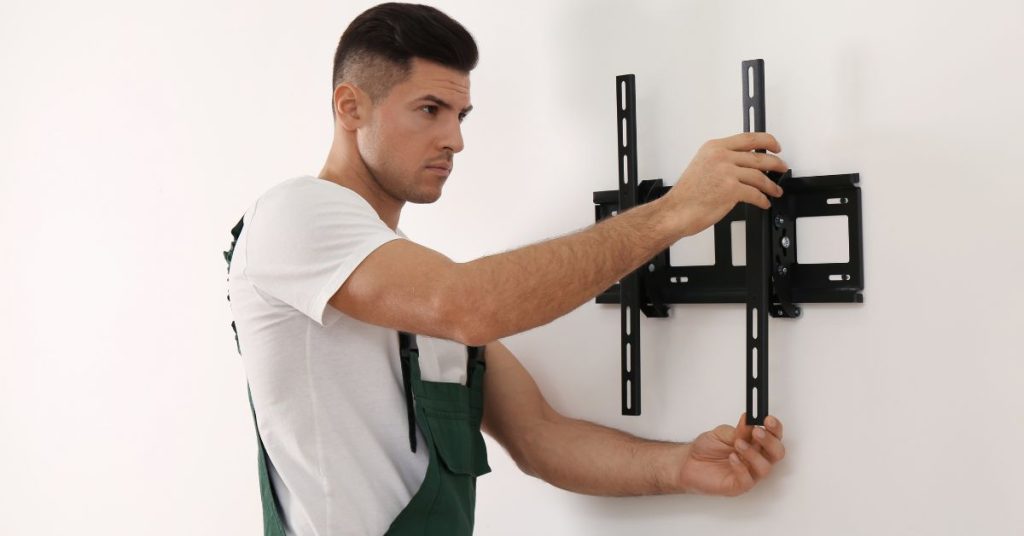
Mount brackets must attach perfectly level—even slight angles create noticeable screen tilting. Laser levels provide accuracy that bubble levels can’t match. Professionals verify levelness multiple times during installation, preventing crooked results requiring reinstallation.
Weight distribution across mounting points affects long-term stability. Uneven tightening creates stress concentrations that loosen over time. Professional installers torque fasteners to manufacturer specifications, achieving uniform load distribution. They also apply threadlocker compounds preventing vibration-induced loosening.
TV attachment to brackets involves aligning mounting plates precisely. Missed alignments force connections and damage equipment. Safety screws secure TVs to brackets, preventing accidental dislodgement. These critical fasteners often get overlooked by DIY installers rushing to complete projects.
Step 7: Comprehensive Testing and Final Adjustments
Testing begins before releasing TV weight onto mounts. Professionals apply gradual pressure while monitoring bracket behavior. Any flexing, creaking, or movement indicates problems requiring immediate correction. Once satisfied with stability, they carefully hang TVs and verify secure attachment.
Viewing angle optimization requires testing from actual seating positions. Tilt adjustments eliminate glare while maintaining comfortable neck angles. Swivel positions accommodate different viewing locations in multi-use spaces. These fine adjustments transform adequate installations into excellent viewing experiences.
Cable connections receive thorough testing. Signal quality checks verify proper antenna connections and HDMI functionality. Power cycling equipment confirms reliable operation. Professional installers don’t consider jobs complete until every function operates perfectly.
Why Professional Installation Outperforms DIY
Learning how to wall mount a TV theoretically differs vastly from executing installations successfully. Professionals bring specialized tools—laser levels, commercial stud finders, proper drill bits, and torque drivers. Their experience recognizes potential problems before they occur, adjusting approaches based on specific conditions encountered.
Insurance coverage provides critical protection. Professional installations include liability insurance covering damage to TVs, walls, or property. DIY mistakes often aren’t covered by homeowner policies, leaving you financially exposed. Warranty protection extends this safety net—installers return to address any issues without additional charges.
Time investment matters significantly. What appears as a two-hour project stretches into entire weekends when complications arise. Incorrect measurements mean repositioning, leaving multiple holes requiring patching and painting. Professional efficiency completes installations quickly while maintaining quality standards.
Understanding how to wall mount a TV reveals the complexity behind apparently simple installations. Golden Antenna brings expertise matching Adelaide’s diverse housing stock with proper mounting techniques. Located in Adelaide S.A. 5000 and reachable at 0403 711 983, we provide comprehensive installation services that eliminate risks while delivering perfect results.
Our approach combines technical precision with customer care, creating stress-free experiences where your vision becomes reality safely and efficiently. We handle every aspect from initial consultation through final testing, providing guaranteed results that DIY attempts can’t match.
FAQ’s
Q: Can I mount a TV without finding studs?
A: Mounting without studs risks dangerous failures, especially with larger TVs. Specialized anchors exist for plasterboard, but they support limited weight compared to stud mounting.
Q: How long does professional TV mounting take?
A: Standard installations require 1-2 hours depending on wall type and complexity. Challenging conditions or extensive cable management may extend this timeframe.
Q: What tools do I need for TV mounting?
A: Proper installation requires stud finders, laser levels, appropriate drill bits, torque drivers, and cable routing equipment. Professional-grade tools deliver results that consumer versions can’t achieve.
Q: Can I move a mounted TV later?
A: Relocating mounted TVs involves the same complexity as initial installation. Professional assistance prevents mistakes while patching previous mounting holes properly.
Q: Do I need an electrician for TV mounting?
A: Adding or relocating power outlets requires licensed electricians under Adelaide regulations. Simple mounting without electrical work doesn’t need electrical certification, but professional installers coordinate necessary electrical services.
Conclusion
Learning how to wall mount a TV reveals seven critical steps where inexperience creates costly mistakes. Strategic planning, accurate stud location, compatible hardware selection, proper cable management, precise drilling, secure mounting, and thorough testing each demand specialized knowledge and appropriate tools. Adelaide’s diverse construction methods add local complexity requiring regional expertise.
While DIY attempts seem economical initially, hidden costs accumulate through tool purchases, mistakes, and suboptimal results requiring professional correction. Golden Antenna delivers expert installation eliminating risks while optimizing viewing experiences. Contact us at 0403 711 983 for professional TV mounting that protects your investment and delivers perfect results from the start.
