
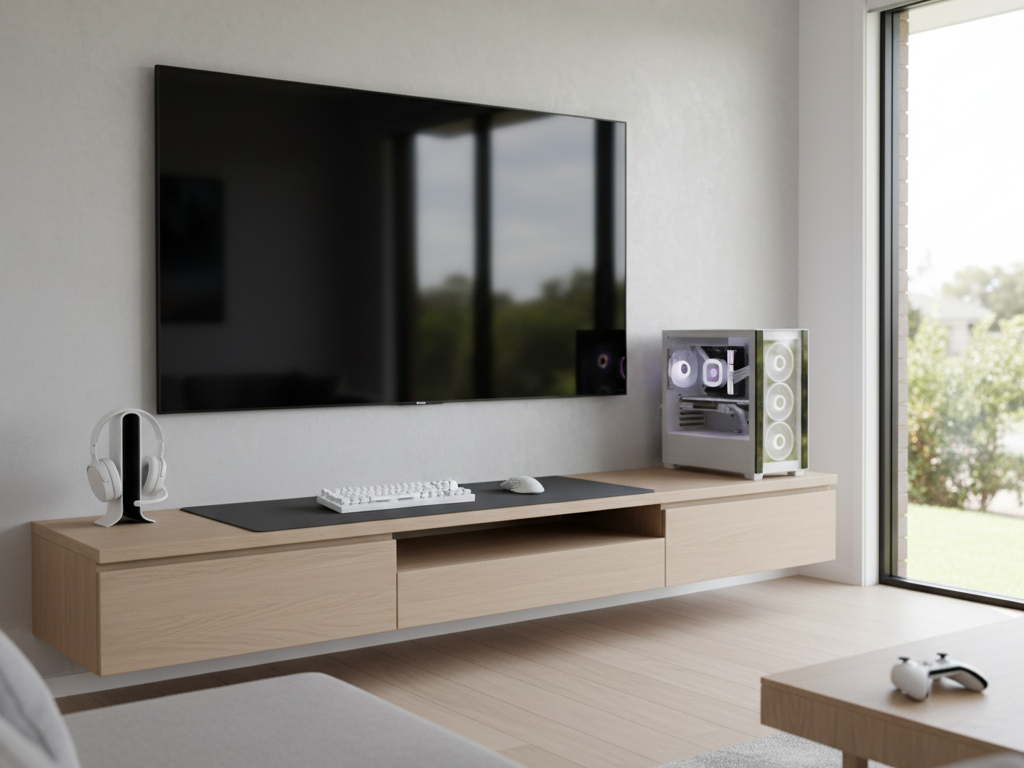
Gaming enthusiasts and entertainment room designers in Adelaide face unique TV mounting challenges. Unlike traditional living room setups, gaming spaces demand specific mounting heights, viewing distances, and technical considerations to optimize gameplay, minimize motion sickness, and maximize immersion.
Whether you’re setting up a dedicated gaming room, a multi-purpose entertainment space, or a high-performance console or PC gaming station, the right tv mounting adelaide for gaming setups and entertainment rooms dramatically improves your experience. This guide explores gaming-specific mounting strategies, cable management for complex setups, and how professional installation delivers the competitive advantage serious gamers deserve.
Golden Antenna understands gaming and entertainment room requirements, delivering installations optimized for performance, comfort, and technical integration across Adelaide.
Key Takeaways
- Gaming TV mounting differs from standard setups: lower heights, closer viewing distances, and specific angle optimization matter more for competitive advantage.
- Ideal gaming screen placement minimizes head/neck strain during extended play sessions and reduces motion sickness from fast-paced action.
- Tv mounting adelaide for gaming setups and entertainment rooms requires consideration of console/PC placement, controller range, and cable management complexity.
- Full-motion or tilting mounts excel in gaming spaces, enabling angle adjustments for different games and seating positions.
- Professional installation manages the complex cable routing and precision positioning that gaming setups demand.
Overview
Standard TV mounting prioritizes comfort for passive viewing—eye level from seated or reclined positions, moderate distances allowing screen relaxation. Gaming mounting, by contrast, optimizes for active engagement: lower viewing distances for detail recognition, specific heights minimizing neck strain during intense play, and precise angle positioning that impacts reaction time and motion perception. The stakes are higher in gaming: a poorly positioned screen costs competitive advantage, causes eye and neck fatigue, and diminishes the immersive experience that makes gaming rewarding.
When planning tv mounting adelaide for gaming setups and entertainment rooms, professional installers account for game types (fast-paced shooters vs slower strategy games have different optimal setups), console or PC positioning, controller range requirements, and the technical complexity of modern gaming peripherals (soundbars, headphone racks, RGB lighting integration). A gaming-optimized installation transforms a room from adequate to exceptional.
Optimal Gaming TV Mounting Heights
Standard living room mounting places the TV center at eye level from seated viewing—typically 42–48 inches from the floor. Gaming mounting is often lower: 36–42 inches from the floor for seated console gaming, accounting for the fact that gamers lean forward, sit closer to the screen, and spend extended periods in fixed positions. Competitive esports setups sometimes mount even lower (30–36 inches) to match the aggressive, forward-leaning posture professional gamers maintain during intense play.
Lower mounting heights in gaming setups accomplish several goals:
- Reduces eye and neck strain during marathon gaming sessions
- Improves peripheral vision—gamers see more of the screen without eye movement
- Optimizes sight lines for rapid-fire reactions in competitive games
- Accommodates the forward-leaning posture natural to engaged gameplay
- Reduces glare from overhead lighting during dark game scenes
The exact ideal height varies by game genre (shooters benefit from lower mounting than narrative adventures), console/PC height, and individual physiology. Professional installers discuss your gaming preferences and primary game types during consultation, then recommend optimal height that balances comfort, performance, and room aesthetics.
Viewing Distance Optimization for Gaming
Viewing distance is more critical in gaming than passive TV viewing. The VESA viewing distance formula
(1.5–2.5x diagonal screen size) applies generally, but gaming often benefits from the shorter end of that range or closer. A 55-inch gaming TV typically works best at 5–7 feet, rather than the 7–8 feet suggested for standard viewing. This closer distance provides better detail recognition, faster reaction potential in competitive games, and more immersive visual engagement.
Gaming viewing distance considerations include:
- Screen size should fill your field of vision comfortably without requiring eye movement to scan the entire image
- Closer distances (1.5x diagonal) work for high-resolution 4K TVs with detailed graphics
- Farther distances (2.5x diagonal) suit lower-resolution displays or if players sit at different distances
- Room depth may limit practical distance; prioritize immersion within physical constraints
- Multiple seating positions require compromise heights/distances or articulating mounts for adjustment
Professional installers in Adelaide help optimize viewing distance by measuring your gaming space, understanding primary seating positions, and recommending screen size and mount height combinations that deliver the best gaming experience. This consultation often reveals that a slightly larger or smaller TV—or a different mounting height—provides significantly better results than generic formulas.
Gaming Console and PC Placement Integration
Gaming-optimized mounting considers where consoles, PCs, and gaming peripherals sit relative to the TV. Consoles (PlayStation, Xbox) and gaming PCs generate heat and require ventilation, making wall-mounted TV placement above or below them logical. However, cable runs from console to TV, controller charging docks, and cooling airflow all influence ideal positioning. A professional tv mounting adelaide for gaming setups and entertainment rooms integrates these technical elements seamlessly.
Integration considerations for gaming spaces include:
- Console/PC placement should allow clear sight lines to the TV without obstruction
- Cable runs from console to TV should be managed (hidden in conduit or behind furniture)
- Controller charging docks and wireless receivers need clear line-of-sight to the TV
- Heat dissipation from consoles must not be blocked by mount or TV position
- Soundbar or external speakers should not obstruct controllers or peripherals
- RGB lighting, if used, should not create glare or wash out screen visibility
Professional installers coordinate all these elements, positioning the TV, console, and peripherals in a cohesive layout that maximizes functionality and aesthetics. This holistic approach prevents common gaming setup frustrations (controller lag, cable tangles, overheating devices).
Full-Motion Mounts for Gaming Flexibility
While fixed mounts work for gaming, full-motion or articulating mounts often excel in entertainment rooms. Gaming spaces frequently have multiple seating positions (primary player on a chair, friends or family on a sofa), different games with different optimal angles, and a desire to shift the screen position for varied viewing without reinstalling. Articulating mounts provide this flexibility.
Full-motion mount advantages for gaming include:
- Adjust viewing angle for different seating positions without moving the mount
- Tilt for optimal angles in different games (lower for competitive shooters, higher for story-driven titles)
- Extend the TV away from the wall for cable management or equipment access
- Swivel to engage viewers in different room zones (console players, audience, streaming viewers)
- Create a dynamic, adjustable setup that adapts to evolving gaming preferences
In Adelaide entertainment rooms where space is often at a premium and multi-use is common, articulating mounts deliver flexibility that fixed systems cannot. The slightly higher cost and installation complexity pay dividends in functionality and user satisfaction.
Gaming TV Mounting: Height, Distance, and Bracket Comparison
| Gaming Type | Optimal Center Height | Ideal Viewing Distance | Recommended Bracket |
|---|---|---|---|
| Console Gaming (Casual) | 40–45 inches | 6–8 feet | Fixed or Tilting |
| Console Gaming (Competitive) | 36–40 inches | 5–6 feet | Full-Motion |
| PC Gaming (Seated) | 38–42 inches | 5–7 feet | Full-Motion or Tilting |
| VR Room Setup | Varies (often out of play area) | N/A | Fixed or Safety Mount |
| Multi-Player Entertainment | 42–48 inches | 6–10 feet | Full-Motion (flexibility) |
Cable Management in Gaming Entertainment Rooms
Gaming setups involve more cables than typical entertainment spaces: power for console/PC and TV, HDMI between devices, ethernet for online play, USB for controllers or peripherals, and sometimes RGB lighting control. Professional cable management prevents tangling, ensures signal integrity, and maintains the clean aesthetic that makes high-end gaming spaces enjoyable.
Cable management strategies for gaming rooms include:
- HDMI cables routed through conduit or wall raceways for hidden routing
- Power cables organized with cable ties and clips, avoiding stress or pinch points
- Ethernet routed separately from power to prevent interference (critical for competitive gaming)
- Controller charging stations with organized cable runs and easy access
- Soundbar or external speaker cables managed elegantly
- RGB lighting control wiring integrated discretely
- Future-proofing with extra conduit or accessible cable paths for upgrades
Professional installers who understand gaming setups anticipate future additions (additional controllers, streaming equipment, upgraded peripherals) and leave room for expansion. This foresight prevents the need for reinstallation or messy additions later.
Reduced Glare and Lighting Optimization
Gaming requires careful lighting management. Bright overhead lights wash out screen detail and create glare, particularly problematic during dark game scenes (horror games, stealth gameplay, night-time settings). Gaming rooms often use dimmable lighting, bias lighting behind the TV, or specialized gaming room lighting that minimizes glare while maintaining ambient visibility.
TV mounting height influences lighting interaction. Lower-mounted gaming TVs are slightly easier to position away from overhead light sources. Professional installers discuss lighting setup during consultation and may recommend mount adjustments or ancillary solutions (bias lighting strips, dimmable bulbs, light positioning) that complement the TV mounting for optimal gaming visibility.
Lighting considerations for gaming spaces include:
- Dimmable or variable brightness overhead lighting allows adaptation to different games
- Bias lighting behind the TV reduces eye strain during extended dark scenes
- Sidelighting or accent lighting maintains room visibility without screen wash-out
- Avoid mounting directly under ceiling lights that create glare
- Position seating to minimize windows or bright light sources in peripheral vision
Audio Integration in Gaming Spaces
Professional gaming and entertainment setups often include soundbars, surround speakers, or headphone systems. TV mounting should coordinate with audio positioning to create a cohesive entertainment experience. Soundbars mounted below or integrated with the TV bracket, surround speakers positioned strategically, and headphone racks all benefit from professional planning during the mounting process.
Audio integration elements include:
- Soundbar position relative to TV (below, above, or integrated with bracket)
- Surround speaker placement that suits the room geometry
- Cable routing for audio devices coordinated with power and HDMI
- Headphone racks or stands positioned for easy access and cable management
- Acoustic considerations if the room has hard surfaces causing echo
Professional installers coordinate TV mounting with audio placement, ensuring both technical functionality and aesthetic cohesion in your gaming space.
Adelaide Gaming Room Considerations
Adelaide’s climate and residential architecture influence gaming setup design. Coastal properties may experience salt air affecting electronic equipment, making strategic positioning and ventilation critical. Older Adelaide homes may have limited power outlets or challenging wall structures requiring creative mounting solutions. Modern apartment-style living in expanding suburbs often means shared walls or space constraints demanding efficient, multi-use designs.
Professional installers familiar with Adelaide housing stock understand these local factors and recommend solutions suited to your specific property and environment.
Professional Setup vs DIY Gaming Installations
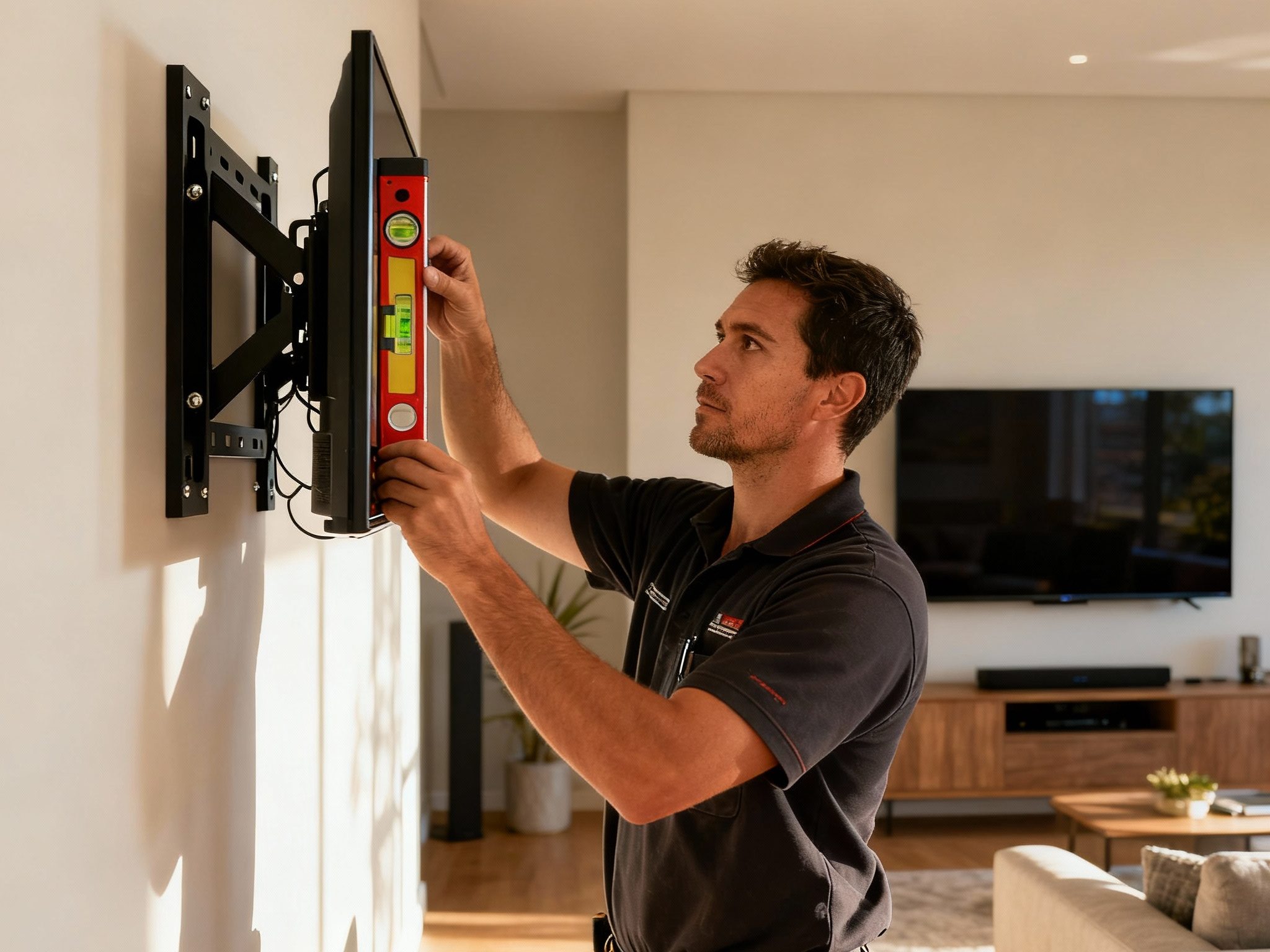
DIY gaming mount installation often results in compromised ergonomics: mounting at arbitrary heights, using wrong-sized brackets, or inadequate cable management. These mistakes undermine the immersive, comfortable experience that gaming demands. Professional installation ensures that height, distance, and angle optimization are precise, that cables are managed elegantly, and that the setup supports not just gameplay but also long-term reliability and enjoyment.
When planning tv mounting adelaide for gaming setups and entertainment rooms, professional guidance transforms a functional setup into a competitive advantage. The expertise, precision tools, and understanding of gaming-specific requirements that professionals bring justify the investment many times over.
Frequently Asked Questions (FAQs)
Q: What is tv mounting adelaide for gaming setups and entertainment rooms—how does it differ from standard mounting?
A: Gaming mounting optimizes for closer viewing distances, lower heights that reduce neck strain during extended play, specific angles that enhance reaction time, and technical integration with consoles, PCs, and audio systems. These factors prioritize gaming comfort and performance over standard passive TV viewing.
Q: What’s the ideal gaming TV height?
A: Casual console gaming typically uses 40–45 inches center height. Competitive or seated gaming benefits from 36–40 inches, which reduces neck strain and improves peripheral vision for fast-paced games. Your specific gaming style and seating position should guide the exact height.
Q: Is full-motion mounting worth it for gaming?
A: Yes, in multi-use entertainment rooms where you game, watch movies, or host multiple viewers. Full-motion mounts allow angle adjustments for different games and seating positions without moving the bracket. For dedicated single-player gaming, fixed or tilting mounts often suffice.
Q: How do I manage cables in a gaming setup with multiple devices?
A: Professional installers route cables through conduit, wall raceways, or behind furniture. They organize power, HDMI, ethernet, and RGB lighting separately, anticipating future upgrades. Proper cable management prevents tangling, signal interference, and aesthetic clutter.
Q: Should I mount a soundbar below the TV for gaming?
A: Often yes, for audio to align spatially with on-screen action. However, position depends on your gaming space layout. Professional installers coordinate TV and soundbar positioning to optimize both sound quality and viewing angles.
Q: Can I use a standard living room TV mount for gaming?
A: Standard mounts can work, but gaming-optimized positioning often requires lower heights, closer viewing distances, or full-motion flexibility that general-purpose mounts may not prioritize. Consulting a professional ensures your setup supports gaming performance.
Q: What about lighting in gaming rooms?
A: Dimmable overhead lighting, bias lighting behind the TV, and strategic positioning minimize glare and screen wash-out during dark game scenes. Professional installers discuss lighting during mounting planning to optimize the gaming environment.
Conclusion
Optimized tv mounting adelaide for gaming setups and entertainment rooms delivers competitive advantage, comfort, and immersion that transforms gaming from adequate to exceptional. Gaming-specific heights (36–42 inches for most setups), closer viewing distances (5–7 feet), and precise angle positioning create an environment where reaction time matters, comfort is sustained over marathon sessions, and visual immersion enhances enjoyment and performance.
Professional installation ensures that mounting height, distance, bracket type, and cable management are all optimized for your gaming preferences and room layout. Whether you’re setting up a casual family gaming space or a competitive esports station, professional guidance delivers results that DIY attempts often fall short of achieving.
Ready to optimize your gaming setup with professional TV mounting in Adelaide? Contact Golden Antenna at 0403 711 983 to discuss your gaming room requirements and get recommendations tailored to your specific setup.
