
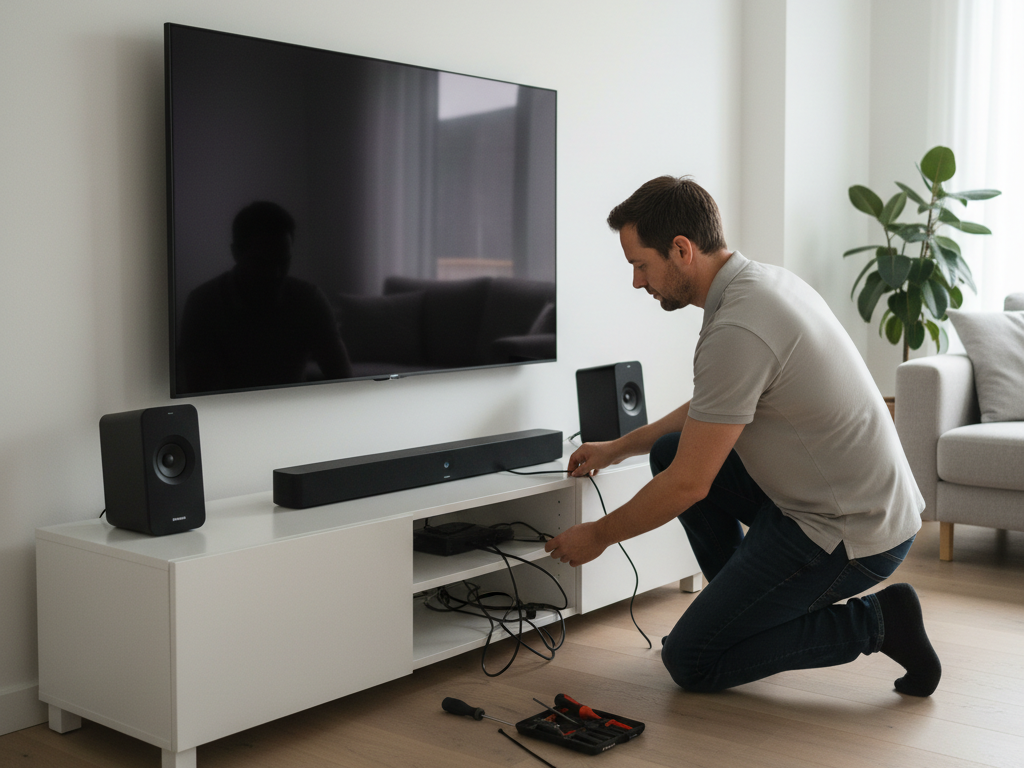
A beautifully mounted TV is only part of the home entertainment equation. Audio quality matters just as much as video, and integrating a soundbar or speaker system with your TV installation transforms movies, games, and shows into immersive experiences. Many Adelaide homeowners mount a TV, then awkwardly add a soundbar later, resulting in misaligned aesthetics, tangled cables, and suboptimal sound positioning. This guide explains how to plan tv mounting adelaide soundbar and speaker integration from the start, ensuring that visual and audio elements work together seamlessly. Professional installation coordinating both TV and audio creates a cohesive, high-performance entertainment system that looks and sounds exceptional.
Golden Antenna specializes in integrated audio-visual installations across Adelaide, designing setups where TV mounts and speaker systems enhance each other rather than compete for space.
Key Takeaways
- TV and soundbar positioning should be coordinated during planning, not as separate decisions made later.
- Soundbars typically mount below the TV, aligned with the screen for optimal sound imaging and spatial accuracy.
- When planning tv mounting adelaide soundbar and speaker integration, cable routing for audio, video, and power must be managed together to avoid clutter and interference.
- Wall space, viewing angles, and room acoustics influence ideal soundbar and speaker placement relative to the TV.
- Professional installation integrates TV mounting and audio setup into a unified, aesthetically pleasing system that maximizes both performance and design.
Overview
Sound quality is often overlooked in TV mounting discussions, yet audio dramatically influences entertainment experience. A TV mounted at perfect height and angle but paired with poor-quality or poorly positioned audio underwhelms movies, sports, and gaming. Conversely, excellent audio paired with poorly positioned TV creates disconnect between sound source and visual action. Professional integration ensures that TV position, soundbar placement, cable routing, and acoustic considerations work in concert to deliver compelling entertainment.
When discussing tv mounting adelaide soundbar and speaker integration, professionals assess your room acoustics, listening habits, content preferences (movies vs sports vs music), and available wall space to design a system where every element—TV positioning, speaker placement, cable management, and room treatment—supports cohesive, high-quality entertainment.
Understanding Soundbar Types and Positioning
Soundbars come in several configurations, each with different positioning implications. Basic soundbars are single units (typically 2–3 feet wide) containing multiple drivers in one chassis. These mount directly below TVs or on media stands, providing enhanced audio compared to TV speakers but without surround or subwoofer integration. Premium soundbars feature separate subwoofers (for bass) and sometimes rear satellite speakers (for surround sound), requiring coordinated placement strategy.
Soundbar positioning options include:
- Below the TV (most common): Aligns audio with on-screen action, looks clean and organized, requires TV mounted high enough to clear soundbar depth
- Above the TV: Less common, works if room layout limits below-TV space, may create acoustic challenges as sound travels downward away from viewers
- Wall-mounted beside TV: Possible but visually awkward, compromises sound imaging (spatial alignment of sound with action)
- On a media stand or furniture: Acceptable for rentals or temporary setups, but fixed wall mounting integrates better with TV installation
Professional installers discuss soundbar type and placement preference during consultation, then design the TV mount height and position to optimize both visual and audio performance. This coordination prevents common conflicts: TV mounted too low leaving no room for soundbar, or soundbar positioned so far below the TV that sound seems disconnected from action.
Optimal Soundbar Placement Relative to TV
The relationship between soundbar and TV height affects both aesthetics and acoustics. Ideally, the soundbar’s tweeter (upper speaker element producing high frequencies) aligns approximately with the TV’s center, creating spatial coherence where dialog and sound effects appear to emanate from the screen. This alignment typically means the soundbar sits 2–6 inches below the TV’s bottom edge, depending on TV size and soundbar depth.
When calculating TV mounting height for soundbar integration, account for:
- Soundbar depth (typically 3–5 inches) plus desired gap spacing
- TV size (larger TVs may require higher mounting to clear soundbar and maintain viewing comfort)
- Viewing distance (impacts ideal TV height independently of soundbar)
- Wall features (outlets, architectural elements, windows affecting placement options)
- Cable routing space (conduit or concealment needs behind soundbar)
Professional installers measure soundbar dimensions, discuss viewing preferences, and calculate optimal TV height that accommodates both visual comfort and audio alignment. This precision prevents the “Tetris puzzle” of trying to fit TV, soundbar, and cables into inadequate space.
Subwoofer Placement and Room Acoustics
Soundbar systems often include wireless subwoofers for bass reproduction. Subwoofer placement significantly affects perceived audio quality and room impact. The misconception that subwoofers should sit directly under the TV often results in boomy, localized bass that destabilizes the sound field. Effective subwoofer placement balances room acoustics, positioning units away from walls when possible and in corners or under furniture when necessary.
Subwoofer considerations in audio-visual design include:
- Subwoofers don’t need visual alignment with TV (bass is non-directional to human ears)
- Corner placement (away from listening area) often provides the smoothest bass response
- Distance from TV varies; wireless subwoofers have extended range (typically 30+ feet)
- Cable routing from TV/receiver to subwoofer should be planned during TV mounting
- Room size and construction affect ideal subwoofer positioning and quantity
Professional installers assess your room acoustics and recommend subwoofer positions that optimize bass response without dominating or destabilizing the overall sound field. This expertise prevents the common error of placing subwoofers where they look convenient rather than where they sound best.
Integrated Cable Management for Audio-Visual Systems
TV mounting involves power and video cables. Adding audio (soundbar, subwoofer, surround speakers) multiplies cable complexity exponentially. Power cables for TV and soundbar, HDMI and optical audio links between devices, and subwoofer wireless signals all require strategic routing to avoid clutter, signal interference, and aesthetic problems.
Cable management strategies for integrated audio-visual systems include:
- HDMI cables (video) kept separate from power cables when possible to reduce interference
- Optical audio cables (carrying soundbar signal) routed with dedicated conduit
- Power cables organized with ties and clips, avoiding stress points or sharp bends
- Wireless subwoofer connections tested for signal strength and stability
- Ethernet cables for smart TVs or streaming devices managed separately from audio
- Future expansion considered (additional speakers, streaming upgrades) with extra conduit or accessible routing
Professional installers coordinate all cable routing during TV mounting, emerging with a clean installation where individual cables are discrete, organized, and labeled for future maintenance or adjustments.
TV and Soundbar Integration: Placement and Acoustic Comparison
| Setup Type | Soundbar Position | Acoustic Benefit | Installation Complexity |
|---|---|---|---|
| Basic Soundbar Only | Below TV | Clean sound alignment, simple setup | Low |
| Soundbar + Subwoofer | Below TV + optimized corner/floor | Enhanced bass, fuller audio range | Moderate |
| Soundbar + Sub + Surrounds | Below TV, corner, rear positions | Full surround sound, immersive experience | High |
| TV Speaker Only (no soundbar) | N/A | Limited audio quality, adequate for casual viewing | None |
| Multi-Room Audio System | Multiple zones coordinated | Audio throughout home, TV-centric system | Very High |
Receiver and Amplification Integration
Modern TV setups often include an AV receiver—a central hub connecting TV, soundbar, external speakers, and other devices. Receivers handle audio/video switching, amplification, and surround sound processing. Integrating a receiver with TV mounting requires planning for receiver placement, cable management, and cooling ventilation.
Receiver integration considerations include:
- Receiver placement (media stand, wall-mounted shelf, rack) near or with TV
- Power outlet access and cable routing for multiple devices
- Ventilation space to prevent overheating (AV receivers generate significant heat)
- HDMI routing from all devices (console, streaming box, TV) through receiver
- Audio/visual connections coordinated with TV mount and soundbar
- Cable labeling and organization for future maintenance or upgrades
Professional installers who understand AV system architecture design TV mounting and cable routing that accommodates receiver requirements, emerging with an organized system where components work together efficiently.
Wall Space and Aesthetic Coordination
Adelaide homes vary in wall space, architectural features, and aesthetic preferences. Coordinating TV and soundbar positioning within room constraints requires thoughtful design. A TV mounted too high to accommodate a soundbar below it, or a soundbar positioned awkwardly at the side, undermines the polished appearance a professional installation should deliver.
Aesthetic and spatial considerations include:
- Wall width and symmetry (center-mounted vs off-center installations)
- Architectural features (fireplaces, windows, built-ins) affecting TV and soundbar positioning
- Cable routing visibility (hiding cables in conduit vs accepting minimal surface runs)
- Room décor coordination (soundbar and TV color/finish matching or contrasting intentionally)
- Future modifications (relocating furniture, adding panels or treatments)
Professional installers discuss aesthetic goals alongside technical requirements, positioning TV and soundbar in ways that enhance rather than detract from your room’s design.
Wireless vs Wired Soundbar Connectivity
Most modern soundbars offer both wired and wireless connectivity options. Wired connections (optical, HDMI ARC) are reliable and interference-free; wireless connections (Bluetooth, Wi-Fi) offer flexibility and fewer cables. The choice impacts cable routing strategy and installation approach.
Connectivity considerations include:
- Optical audio: Reliable, industry-standard, limited by cable length (typically 6–9 meters practical maximum)
- HDMI ARC: High-bandwidth, supports latest audio formats, requires compatible TV and receiver
- Bluetooth: Wireless convenience, potential for interference or dropouts in some environments
- Wi-Fi (proprietary systems): Extended range, integrates with multi-room audio, more complex setup
Professional installers discuss your connectivity preferences and design cable routing accordingly. Wired connections require conduit planning; wireless setups need signal strength verification and interference avoidance. Either way, professional design ensures reliable, interference-free audio.
Room Acoustics and Positioning
Room size, shape, and materials (hard floors vs carpet, bare walls vs treatments, open vs enclosed) profoundly affect how sound behaves. A soundbar in a small apartment with hard surfaces sounds different than the same soundbar in a large home with soft furnishings and treatments. Professional installers consider room acoustics when recommending soundbar and speaker positions.
Acoustic factors influencing positioning include:
- Room resonances (certain frequencies amplified or suppressed by room geometry)
- Reverberation (hard surfaces reflect sound; soft materials absorb it)
- Bass modes (subwoofer positioning interacts with room acoustic characteristics)
- Listening position relative to speakers (sound quality varies by seating location)
- Treatments available (rugs, curtains, panels that affect acoustics)
While professional AV installers aren’t necessarily acoustic engineers, experienced installers understand how positioning affects performance and recommend strategies (subwoofer placement, soundbar angle, room treatments) that optimize audio quality within your specific room.
Adelaide-Specific Installation Considerations
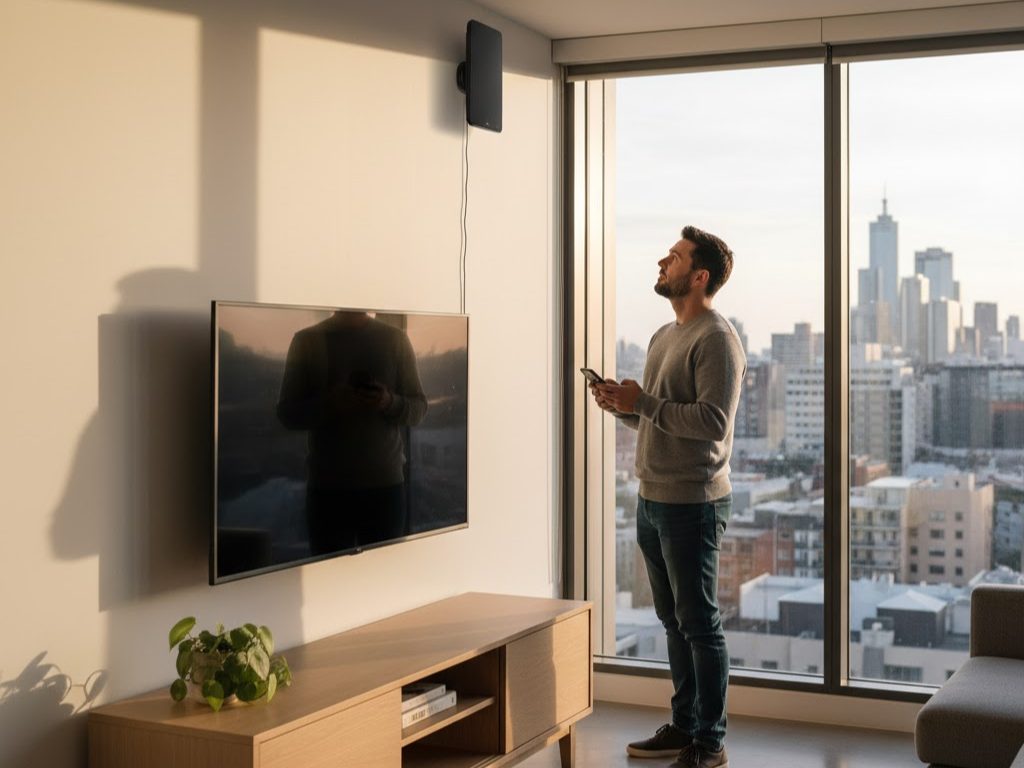
Adelaide’s mix of heritage homes, modern apartments, and contemporary houses influences audio-visual installation strategy. Older heritage homes may have challenging wall structures; modern apartments may have power outlet limitations. Coastal properties experience salt air affecting electronics. Professional installers familiar with Adelaide housing stock understand these local factors and design solutions suited to your specific property type.
Local considerations include:
- Heritage wall preservation (minimal intervention during cable routing or TV mounting)
- Apartment living (managing limited power outlets, shared walls for vibration consideration)
- Coastal environment (equipment protection, ventilation for salt air exposure)
- Rental properties (damage-free installation, removable solutions)
- Existing décor and architectural style (aesthetic coordination)
Professional Installation vs DIY Audio-Visual Setup
DIY audio-visual installations often result in compromised outcomes: TV mounted without regard to soundbar compatibility, cables run carelessly creating clutter and interference, subwoofers positioned where convenient rather than where acoustically optimal. Professional installation ensures that every element—TV height, soundbar placement, cable routing, receiver integration—works together to deliver high-performance, aesthetically cohesive results.
When planning tv mounting adelaide soundbar and speaker integration, professional guidance transforms a functional setup into an exceptional entertainment experience. The expertise and coordination that professionals bring justify the investment many times over.
Frequently Asked Questions (FAQs)
Q: What is tv mounting adelaide soundbar and speaker integration—why coordinate them?
A: Coordinating TV and soundbar during planning ensures that mounting height accommodates the soundbar without conflicts, that audio aligns spatially with on-screen action, and that cable routing integrates all components cleanly. Coordinated planning prevents awkward compromises made when components are added separately.
Q: Where should I mount my soundbar?
A: Typically below the TV, with the soundbar’s tweeter approximately aligned with the TV’s center. This positioning creates spatial coherence where dialog and sound effects appear to come from the screen. Height, wall space, and viewing angle may require minor adjustments.
Q: Can I mount a soundbar above the TV?
A: Technically possible but acoustically suboptimal, as sound travels downward away from listeners. Below-TV positioning aligns audio with visual action. Above-TV mounting works only if wall constraints absolutely necessitate it, and even then with acoustic compromises.
Q: How do I hide soundbar cables?
A: Professional installation routes optical or HDMI audio cables through wall conduit, surface raceway, or behind furniture. Power cables are managed with ties and clips. The result is a clean installation where cables are discrete and organized.
Q: Where should I place my subwoofer?
A: Subwoofers aren’t directional (bass frequencies below ~80 Hz don’t have clear spatial origin), so placement prioritizes room acoustics over visual alignment. Corner placement or under furniture often provides smooth bass. Professional installers recommend positions based on your room acoustics.
Q: Do I need a soundbar if I have a good TV?
A: TV speakers are typically limited in quality and directional projection. Even moderately priced soundbars dramatically improve dialogue clarity, sound imaging, and overall entertainment experience. For movies, sports, and gaming, soundbar integration is highly recommended.
Q: Can I add surround speakers later?
A: Yes, though coordinating during initial installation prevents cable routing complications. Professional installers design TV and soundbar positioning to accommodate future surround speaker addition, leaving conduit or cable routes for later expansion.
Conclusion
Professional tv mounting adelaide soundbar and speaker integration transforms home entertainment by coordinating visual and audio components into a unified, high-performance system. Strategic positioning of TV and soundbar, careful cable management integrating audio and video signals, and thoughtful receiver/amplification planning create setups where every element enhances the others. The result is compelling entertainment where picture and sound work together seamlessly, delivering the immersive experience that truly exceptional home systems provide.
Whether you’re adding a basic soundbar to existing TV mounting or designing a complete audio-visual system from scratch, professional installation ensures that TV positioning, soundbar placement, cable routing, and acoustic optimization work in concert. This integrated approach transforms entertainment from adequate to exceptional, justifying the expertise and care that professional installers bring.Ready to integrate soundbar and speakers with your TV mounting in Adelaide? Contact Golden Antenna at 0403 711 983 to discus
