

Learning how to mount a TV on the wall transforms your living space while maximizing viewing comfort and reclaiming valuable floor space. However, the process involves more than just drilling holes—from selecting the right bracket to ensuring your wall can support the weight, understanding how to mount a TV on the wall correctly prevents costly mistakes and safety hazards.
At Golden Antenna, our mission is to support our clients in enhancing their homes through reliable installation services, ensuring every setup aligns with their needs and lifestyle. This guide covers everything you need to know about wall mount TV installation, helping you decide whether to DIY or trust the professionals.
Key Takeaways
Before diving into the installation process, here are the essential points to remember when you mount a TV on the wall:
- Always verify your wall type and stud location before drilling to ensure secure mounting.
- Choose a bracket rated for your TV’s weight and VESA pattern to prevent mounting failures.
- Consider professional installation for large screens (55+ inches), stone walls, or complex cable management.
- Proper planning prevents cracked screens, wall damage, and viewing discomfort during and after installation.
- The right height matters—eye level when seated is optimal for most viewing situations.
- Cable management is crucial for a clean, professional appearance that enhances your space.
- Safety should always be your top priority, especially when working with electrical components and heavy equipment.
Overview of Wall-Mounted TV Installation
Wall mount TV installation has become the standard for modern homes, offering space-saving benefits and improved viewing angles. The process involves selecting an appropriate mounting bracket, locating wall studs for secure attachment, and ensuring proper height placement.
There are three main bracket types: fixed mounts sit flat against the wall, tilting mounts adjust up and down, and full-motion mounts swivel and extend. Each serves different needs based on room layout and viewing preferences. Understanding your wall construction is critical—drywall requires mounting into studs, while brick or concrete walls need specialized anchors and drilling techniques.
The Hidden Risks of DIY Installation
Many homeowners attempt to mount a TV on the wall themselves to save money, only to face expensive consequences. A dropped television can cost thousands to replace, while improper mounting leads to gradual screen damage, cracked walls, and voided warranties. DIY installations often overlook weight distribution, resulting in mounts that seem secure initially but fail over time.
The hidden costs extend beyond the TV itself—repairing drywall damage, replacing damaged cables, and fixing electrical issues can exceed the cost of professional installation. Additionally, incorrect height placement creates ongoing discomfort, forcing you to live with a poorly positioned screen or pay for reinstallation.
TV wall mounting also involves significant safety risks. Working at heights with heavy equipment increases fall risk, while drilling into walls can strike electrical wiring or plumbing pipes. Improper handling of large televisions can cause serious back injuries.
Electrical safety becomes critical when routing cables behind walls—incorrect techniques create fire hazards that may not show up until months later. Professional installers understand building codes, electrical safety protocols, and proper weight distribution techniques.
Mount a TV on the Wall: Step-by-Step Installation Tips
Complete guide to proper TV wall mounting installation
| Installation Step | Key Points | Professional Tips |
|---|---|---|
| Step 1: Choose Your Mounting Location | ||
| Optimal viewing distance | 1.5 to 2.5x TV diagonal screen size | Measure from primary seating area for comfort |
| Screen center height | 42-48 inches from floor to TV center | Align with eye level when seated for proper viewing angle |
| Light source assessment | Avoid direct windows, glare interference | Evaluate natural and artificial lighting throughout day |
| Room layout consideration | Furniture arrangement and seating positions | Plan for future layout changes and flexibility |
| Step 2: Locate Wall Studs | ||
| Stud finder usage | Verify vertical studs typically 16 or 24 inches apart | Use quality stud finders with multiple detection methods |
| Stud marking | Use painter’s tape instead of permanent marks | Confirm location by tapping—solid sound indicates stud presence |
| Brick or concrete walls | Use masonry anchors rated for TV weight plus 50% safety margin | Professional assessment of wall composition before drilling |
| Step 3: Attach the Mounting Bracket | ||
| Wall plate attachment | Use lag bolts or appropriate fasteners for studs | Rock-solid mounting with no movement when pulled |
| Level verification | Check level in both directions before full tightening | Use laser levels for precision, verify multiple times |
| VESA pattern matching | Attach bracket arms using bolts matching TV’s VESA pattern | Hand-tighten first, then secure firmly without over-tightening |
| Step 4: Manage Your Cables | ||
| Cable routing planning | In-wall kits with inlet and outlet boxes for compliance | Plan routing before hanging TV for clean appearance |
| In-wall installation | Maintain fire code compliance and legal installation | Licensed electricians handle power cable installations |
| External cable covers | Neat solution without opening walls | Consider future needs—run extra cables now to avoid later work |
| Step 5: Hang and Connect | ||
| Critical connection moment | Use helper to support TV weight during alignment | Listen for click or lock mechanism confirming secure attachment |
| Bracket engagement | Slowly engage brackets, testing gentle pull for firmness | TV should hold firmly with no movement or gaps |
| Cable connection | Route all cables through cable management system | Connect power, HDMI, and necessary cables after mounting |
| Safety and Protection Considerations | ||
| Ventilation spacing | Proper spacing prevents overheating and component damage | Professional installation ensures optimal airflow around TV |
| Regular maintenance | Check for loose fasteners and wall damage periodically | Micro-adjustments allow fine-tuning as needs change |
| Cable protection | Protect connections from dust and physical stress | Maintain signal integrity for streaming, gaming, and broadcast |
| Investment protection | Proper installation extends TV functional life significantly | Professional warranty coverage and post-installation support |
Golden Antenna’s Professional Approach
When you choose professional service to mount a TV on the wall, you’re investing in expertise that extends beyond basic installation. Our team at Golden Antenna ensures your television is positioned for optimal viewing while maintaining proper cable management and signal integrity.
We assess your room’s lighting conditions, seating arrangements, and existing electrical outlets to determine the ideal mounting location. Our installations include proper cable concealment, ensuring no unsightly wires detract from your clean, modern look.
Located in Adelaide S.A. 5000, Golden Antenna brings professional expertise directly to your home. Our certified technicians handle installations of all sizes and complexities, from simple bedroom TVs to elaborate home theater systems.
We’re available at 0403 711 983 to discuss your specific needs and provide honest assessments of your installation requirements. Our service includes post-installation support, warranty protection, and advice on optimizing your viewing experience.
Step-by-Step Installation Guide
Choose Your Mounting Location
Determining where to mount a TV on the wall requires careful consideration of viewing angles, light sources, and room layout. Measure the distance from your primary seating area—ideally, the viewing distance should be 1.5 to 2.5 times your TV’s diagonal screen size.
Avoid placing TVs directly opposite windows where glare interferes with viewing. Mark the center point at eye level when seated, typically 42-48 inches from the floor to the TV’s center.
Locate Wall Studs
Securing your mount into wall studs is non-negotiable for safe TV wall mounting. Use a quality stud finder to locate vertical studs, typically spaced 16 or 24 inches apart. Mark stud locations with painter’s tape rather than permanent marks.
Verify stud location by tapping the wall—a hollow sound indicates empty space, while a solid sound confirms stud presence. For brick or concrete walls, you’ll need masonry anchors rated for your TV’s weight plus 50% safety margin.
Attach the Mounting Bracket
First, attach the mounting plate to your wall studs using lag bolts or appropriate fasteners. Check for level in both directions before tightening completely. The bracket should feel rock-solid with no movement when pulled.
Next, attach the corresponding bracket arms to the back of your TV using the provided bolts that match your TV’s VESA pattern. Hand-tighten initially, then use a screwdriver to secure firmly without over-tightening.
Manage Your Cables
Before hanging the TV, plan your cable routing to achieve a clean appearance. In-wall cable management kits allow you to run cables inside the wall legally and safely. These kits include inlet and outlet boxes that maintain fire code compliance.
Alternatively, external cable covers provide a neat solution without opening walls. Consider future needs—running extra HDMI cables now saves wall opening later.
Hang and Connect
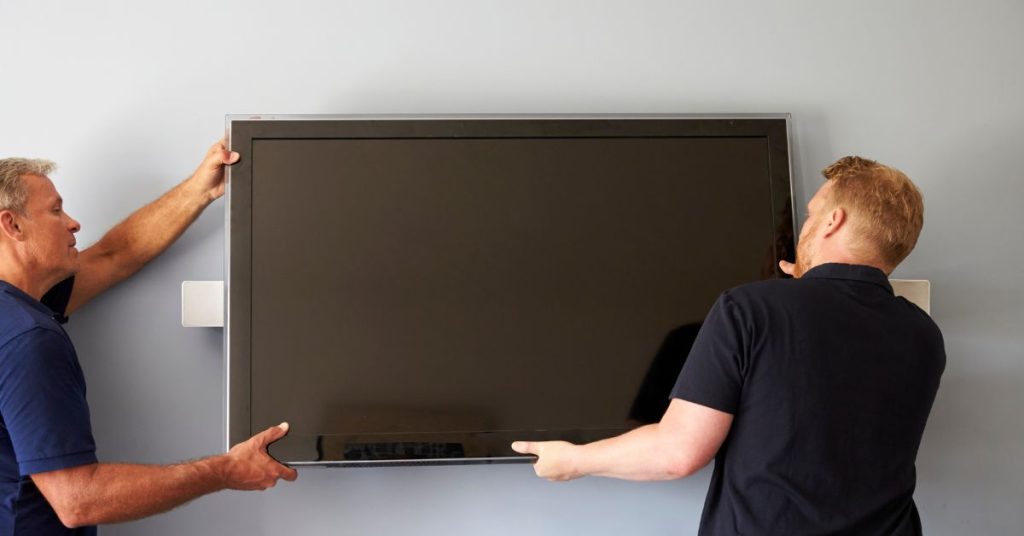
With a helper supporting the TV’s weight, carefully lift and align the TV brackets with the wall mount. This is the most critical moment when you mount a TV on the wall. Slowly engage the brackets, listening for the click or lock mechanism that confirms secure attachment.
Test the connection by gently pulling the TV away from the wall—it should hold firmly. Route all cables through your chosen management system, connecting power, HDMI, and any necessary cables.
Protecting Your Investment
Wall mounting your TV properly ensures years of reliable performance and maintains your television’s value. Professional installations include proper ventilation spacing, preventing overheating that shortens component life.
Quality brackets with micro-adjustments allow periodic fine-tuning as furniture arrangements change. Regular inspection of mount security—checking for loose fasteners or wall damage—prevents gradual failure. Protecting cable connections from dust and physical stress maintains signal integrity for streaming, gaming, and broadcast reception.
Your TV represents a significant investment; treating it with care through proper installation extends its functional life considerably.
Don’t risk damaging your expensive television or injuring yourself during installation. Contact Golden Antenna in Adelaide, S.A., today at 0403 711 983 to schedule your guaranteed TV wall mounting service and enjoy professional results with complete peace of mind.
Frequently Asked Questions
Q: How long does it take to mount a TV on the wall professionally?
A: Professional TV wall mounting typically takes 1-2 hours depending on complexity. Simple installations on standard drywall with minimal cable management complete quickly, while in-wall cable routing or brick walls require additional time.
Q: Can I mount a TV on the wall without drilling into studs?
A: For safety when you mount a TV on the wall, drilling into studs is essential for most installations. While specialized anchors exist for drywall-only mounting of very small TVs (under 30 inches), they’re not recommended for larger screens.
Q: What is the best height to mount a TV on the wall?
A: The optimal height when you mount a TV on the wall places the center of the screen at eye level when seated, typically 42-48 inches from the floor. This varies based on furniture height and personal preference.
Q: Do I need special tools to mount a TV on the wall?
A: Basic TV wall mounting requires a stud finder, level, drill with appropriate bits, socket set, and measuring tape. Professional installers carry all necessary equipment, eliminating the need to purchase or rent tools.
Conclusion
Successfully learning how to mount a TV on the wall requires careful planning, proper tools, and realistic assessment of your skills and limitations. While DIY installation can work for smaller televisions on standard drywall, larger screens, complex wall types, and in-wall cable management benefit significantly from professional expertise.
The investment in professional service protects your expensive television, ensures safe installation, and delivers the clean, finished appearance that enhances your home’s aesthetics. At Golden Antenna, we’ve perfected the TV wall mounting process through hundreds of successful installations across Adelaide.
